
Master QuickBooks On Line in 2026 with this expert guide
Learn to streamline UK accounting with automation, compliance tips, integrations and advanced features
Business accounting in 2026 is more complex than ever, with new regulations, digital tax systems, and evolving business models. Entrepreneurs and SMEs across the UK are searching for tools that simplify their financial management while ensuring accuracy and compliance.
quickbooks on line stands out as the cloud-based accounting solution transforming how UK businesses handle their finances. Its modern features deliver automation, anywhere access, and real-time insights, tackling the pain points that slow down traditional bookkeeping.
This article is your comprehensive, step-by-step guide to mastering quickbooks on line in 2026. You will learn how to streamline your accounts, automate routine tasks, and stay compliant, all with practical tips for UK businesses.
We will explore everything from getting started and core features to automation, integrations, compliance, advanced strategies, and support resources. Let’s begin your journey to efficient, stress-free accounting.
Getting Started with QuickBooks Online in 2026
For UK businesses tackling modern finance, quickbooks on line is more than just accounting software. In 2026, it stands out as a robust, cloud-based platform, constantly evolving to meet the needs of SMEs, sole traders, and growing enterprises. Let’s explore how to get up and running with quickbooks on line, from understanding the latest features to setting up your account for success.

Understanding QuickBooks Online: What’s New in 2026
Quickbooks on line has undergone significant upgrades for 2026, making it even more relevant for UK businesses. The interface is sleeker, with a redesigned dashboard that allows users to customise widgets for real-time insights. Enhanced security protocols, including advanced two-factor authentication and regular encryption updates, provide peace of mind for data privacy.
Cloud and mobile functionality have improved, enabling seamless remote access from any device. For example, businesses can now personalise dashboards by department or user role, reflecting unique needs. Over 8,000 UK businesses reviewed quickbooks on line for usability, with most praising its streamlined navigation and user-friendly enhancements. These updates ensure a smoother experience for new and returning users alike.
Setting Up Your Account: Step-by-Step
Getting started with quickbooks on line begins with a straightforward registration and verification process. Choose the subscription tier that matches your business size and needs, whether you are a sole trader or operate a limited company. For one-person businesses, consider the QuickBooks Sole Trader Launch, which simplifies setup and compliance.
After registration, configure your company profile, set your fiscal year, and adjust tax settings for VAT. Add users and assign permissions, using multi-factor authentication for added security. Importing opening balances and historical data is essential for accurate records. Avoid common mistakes, such as selecting the wrong business type or neglecting to set up VAT correctly, to ensure quickbooks on line works optimally from day one.
Here’s a simple setup checklist:
Step > Action
Registration Sign up and verify your account
Subscription Select appropriate plan
Company Profile Enter details and fiscal year
Tax Settings Set VAT and MTD compliance
User Permissions Add users and set access levels
Data Import Import balances and historical data
Navigating the Dashboard and Key Menus
The 2026 quickbooks on line dashboard has been redesigned for clarity and speed. The main menus—Home, Banking, Sales, Expenses, Reports, Payroll—are easy to access and intuitive. Users can personalise widgets for daily tasks, such as cash flow or overdue invoices, tailored to their specific roles.
Shortcuts and keyboard navigation are built in, boosting efficiency. For example, a retail business can customise its dashboard to display sales trends and inventory alerts. The improved navigation tools and guided setup options help reduce onboarding time, ensuring new users can find essential features quickly. If you need assistance, help and guided setup tools are just a click away, making quickbooks on line accessible to everyone on your team.
Essential First Steps for UK Businesses
To fully leverage quickbooks on line, connect your UK bank accounts and preferred payment gateways right away. Set up VAT registration to comply with Making Tax Digital (MTD) requirements. Add your core contacts—customers, suppliers, and products or services—into the system.
For recurring billing, set up direct debit for invoices to automate payments. Customise your invoice templates so they reflect your brand’s identity. If you’re migrating from spreadsheets or another software, use quickbooks on line’s import tools for a smooth transition. These first steps create a solid foundation, ensuring your accounting remains efficient and compliant.
Core Features and Daily Tasks in QuickBooks Online
Mastering daily tasks in quickbooks on line is essential for efficient business management in 2026. The platform offers robust tools for invoicing, expense tracking, bank reconciliation, payroll, and reporting. Each feature is designed for ease of use, automation, and accuracy, helping UK businesses stay compliant and competitive.

Managing Invoicing and Payments
Creating and sending invoices in quickbooks on line is intuitive and customisable. Start by selecting a template that matches your brand, then add your business logo and payment terms. Automated payment reminders help you get paid faster, while the system tracks invoice status in real time.
Accept payments online via credit card, PayPal, or direct bank transfer, making it easier for clients to settle bills. You can set up recurring invoices for regular customers and apply late fees automatically to overdue accounts. The platform's automation ensures you never miss a payment cycle.
Quickbooks on line provides clear visibility of outstanding invoices and overdue payments. According to Software Advice, users rate the invoicing feature an average of 4.3 out of 5 for ease of use. This reliability gives you confidence in managing cash flow and maintaining strong client relationships.
Expense Tracking and Receipt Management
Recording expenses is seamless in quickbooks on line. Capture receipts instantly with the mobile app, upload them directly, and categorise each expense for accurate bookkeeping. The system allows you to set up expense rules, automating the classification of regular costs like utilities or travel.
For consultants and field workers, the app makes it simple to track expenses on the go. Integration with apps streamlines the process further, reducing manual entry errors and saving valuable time. You can also automate expense approvals, ensuring efficient workflows for your team.
If you want expert support, Bookkeeping Services for QuickBooks can help you optimise expense tracking and reconciliation. Their specialists ensure your data is accurate, compliant, and ready for reporting throughout the year.
Bank Feeds and Reconciliation
Quickbooks on line connects directly to your UK bank accounts, delivering live transaction feeds for up-to-date records. The system automatically matches incoming and outgoing payments to invoices and expenses, simplifying reconciliation.
Each month, follow the step-by-step reconciliation tool to ensure your accounts balance accurately. For businesses with multiple accounts, quickbooks on line lets you view all balances in one dashboard, making discrepancies easy to identify and resolve.
If you spot missing or duplicate transactions, the platform offers clear guidance for corrections. Over 4,000 users rely on bank feeds daily, highlighting the system’s reliability for real-time financial management.
Payroll and Employee Management
Processing payroll with quickbooks on line is straightforward and compliant. Set up employee profiles, define payroll schedules, and automate calculations for PAYE, National Insurance, and pension contributions. The platform submits Real Time Information (RTI) directly to HMRC.
Automate payslip generation and share them securely with employees. Integration with timesheet apps makes tracking hours and managing variable pay simple. For businesses with growing teams, quickbooks on line scales easily, keeping payroll accurate and efficient.
Using automated payroll features reduces manual errors and ensures you remain up to date with changing UK payroll legislation. This helps maintain trust and transparency with your staff.
Generating and Customising Reports
Quickbooks on line offers a wide range of financial reports, from profit and loss statements to cash flow forecasts. Access standard templates or create customised reports tailored to your business needs. Export reports for stakeholders or your accountant with just a few clicks.
For example, use the cash flow forecast to anticipate upcoming expenses and plan investments. The insights provided by these reports support informed business decisions, helping you spot trends and opportunities early.
With quickbooks on line, financial reporting becomes a strategic tool rather than a chore. This empowers you to take control of your business’s future and drive growth with confidence.
Automation and Integrations: Streamlining Your Workflow
Modern businesses expect their accounting software to do more than just basic bookkeeping. In 2026, quickbooks on line stands out by offering robust automation, seamless integrations, and mobile-friendly tools. These features help save time, reduce errors, and let business owners focus on growth.
Automating Routine Tasks
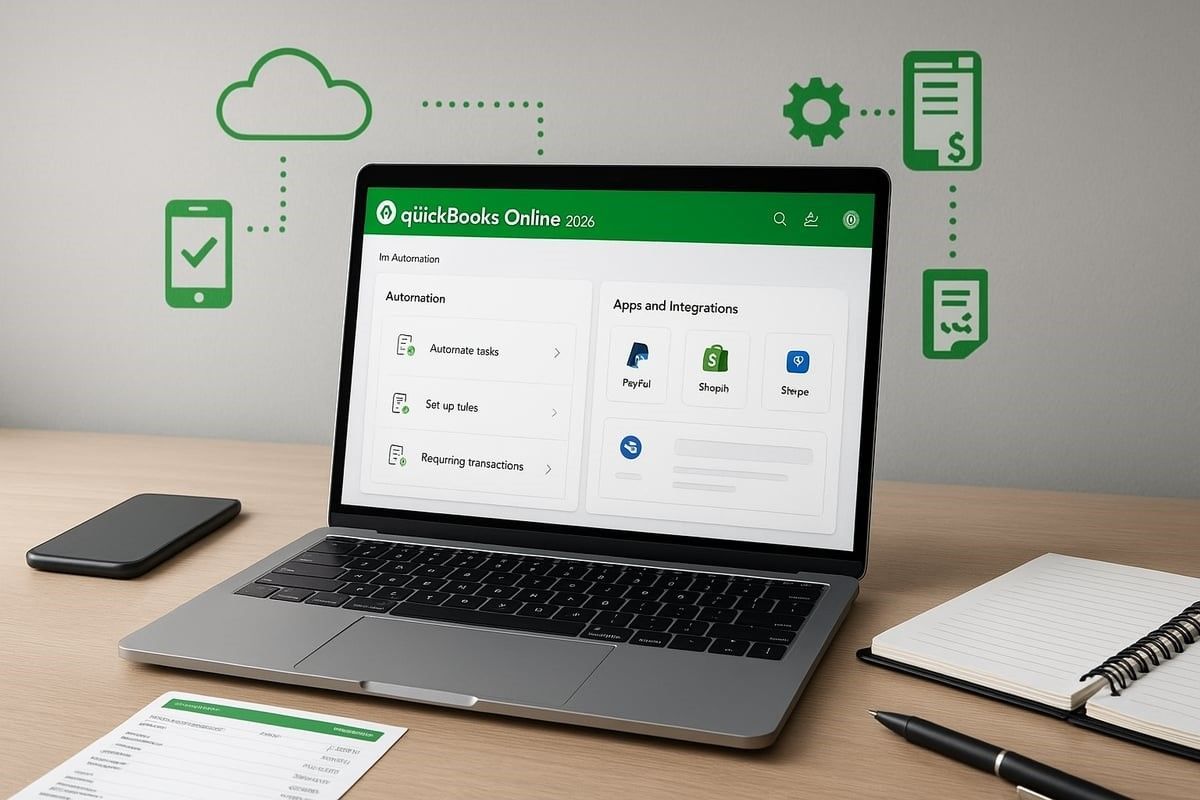
Automation is at the heart of quickbooks on line in 2026. Businesses can set up recurring invoices and bills, ensuring regular clients and suppliers are billed and paid on time without manual effort. Custom bank rules automatically categorise transactions, reducing tedious data entry and helping prevent costly mistakes.
You can also schedule financial reports to run at specific intervals, so decision-makers always have up-to-date insights. Automating VAT return preparation is now a popular feature, as quickbooks on line handles calculations and submissions directly to HMRC, keeping UK businesses compliant.
With the rise of artificial intelligence, automation is more intelligent than ever. For example, Intuit's AI-Powered Innovations introduce virtual AI agents that help quickbooks on line users streamline routine accounting processes, anticipate issues, and offer proactive solutions. This means less manual work, fewer errors, and more time to focus on business growth.
Integrating with Third-Party Apps
In 2026, quickbooks on line is designed to be the hub of your business finances. With over 200 app integrations, you can connect payment processors, CRM tools, e-commerce platforms, and more. Popular integrations include Shopify for online sales, PayPal and Stripe for payments, and inventory management systems.
When you sync your online store with quickbooks on line, sales data flows directly into your accounts, reducing manual entry and keeping records accurate. Integrating CRM platforms ensures customer information is always current and accessible.
Benefits of these integrations include automated order management, real-time stock updates, and consolidated reporting. By connecting your favourite apps, you can tailor quickbooks on line to your unique workflow, making daily operations smoother and more efficient.
Mobile App Functionality and On-the-Go Accounting
Quickbooks on line's mobile app in 2026 brings the full power of cloud accounting to your pocket. You can capture receipts with your phone's camera, approve expenses, and send invoices from anywhere. The real-time notifications keep you updated on payments, approvals, and cash flow.
For remote teams, mobile access means everyone can collaborate and stay informed, even when travelling or working from home. Approving expenses or checking bank balances is as simple as a few taps, helping businesses stay agile in a fast-paced environment.
The mobile app also integrates with other tools, so you can manage quickbooks on line tasks alongside your project management or communication apps, making on-the-go accounting seamless.
Data Import, Export, and Migration Tools
Getting started with quickbooks on line is straightforward, thanks to robust import and export tools. You can import data from spreadsheets or migrate from other accounting software, including previous versions of QuickBooks Desktop.
Exporting data for analysis or backup is equally simple. This flexibility allows businesses to keep their records organised and accessible. If you are planning a move to quickbooks on line Advanced, migration tools ensure a smooth and secure transition.
For best results, always review imported data for accuracy and use the guided setup tools provided within quickbooks on line.
Ensuring Data Security and Privacy
Security is a top priority for quickbooks on line users in 2026. Enhanced protocols include two-factor authentication, advanced user access controls, and full data encryption. Regular backups protect your financial information and ensure business continuity.
Quickbooks on line is fully compliant with UK GDPR and data protection laws. You can set up user roles to restrict access to sensitive information and monitor activity with detailed audit trails.
These features give business owners peace of mind, knowing their financial data is safe, private, and accessible only to authorised users.
Compliance, Tax, and UK-Specific Features
Keeping your business compliant in the UK is simpler than ever with quickbooks on line. The platform’s 2026 update brings enhanced tools for VAT, payroll, tax, and digital record-keeping, making it easier for businesses to stay on the right side of HMRC regulations.
VAT Management and Making Tax Digital (MTD)
Navigating VAT requirements is a critical task for UK businesses. In 2026, quickbooks on line offers advanced VAT management tools designed for full compliance with Making Tax Digital. You can set up VAT rates and schemes based on your business needs, whether you use the standard, flat rate, or cash accounting scheme.
Automation is at the core. Quickbooks on line will calculate VAT on sales and purchases automatically, reducing manual errors. The system allows you to submit VAT returns directly to HMRC with a few clicks, streamlining the reporting process.
If you sell internationally, quickbooks on line supports multi-currency VAT handling. This means you can accurately track VAT for both domestic and global transactions. For businesses new to digital VAT, the platform provides step-by-step guides and reminders to ensure deadlines are never missed.
Common VAT pitfalls include entering incorrect rates, missing deadlines, and not reconciling VAT transactions. By using the built-in validation and reconciliation tools, you can avoid these mistakes. For a deeper look at how quickbooks on line is recognised as a leading HMRC-ready tool, see Consumer365's QuickBooks Review.
Payroll Compliance and RTI Submissions
Meeting payroll obligations is straightforward with quickbooks on line. The platform automates payroll tax calculations for PAYE, National Insurance, and pensions. Setting up payroll schedules and employee profiles is user-friendly, and the software keeps you updated with the latest payroll legislation.
With Real Time Information (RTI) integration, you can file payroll submissions directly to HMRC. Managing statutory sick pay, maternity pay, and other deductions is also automated, saving valuable time and reducing compliance risks.
Year-End Accounts and Corporation Tax
Preparing year-end accounts is seamless with quickbooks on line. You can generate detailed financial statements, export data for your accountant, and keep digital records ready for audit. The platform helps you estimate Corporation Tax liabilities throughout the year, so there are no surprises at filing time.
Scheduling year-end reminders ensures you never miss important deadlines. Quickbooks on line makes it easy to gather the necessary information for tax planning and compliance, supporting long-term business growth.
Record-Keeping and Audit Trails
Digital record-keeping is essential for meeting HMRC expectations. Quickbooks on line maintains comprehensive digital records of all transactions, invoices, and receipts. The audit trail feature tracks every change, ensuring transparency and accountability.
When HMRC queries arise, you can quickly generate reports and provide digital evidence. This level of organisation not only supports compliance but also makes day-to-day management more efficient.
Wilkins & Co Accountants: Expert Support for QuickBooks Online Users
For businesses in Bicester, Oxfordshire and the Cotswolds, Wilkins & Co Accountants delivers expert support for quickbooks on line users. Their team provides guidance on VAT, payroll, and year-end reporting, ensuring your business remains compliant.

With decades of experience in digital accounting and Making Tax Digital, Wilkins & Co Accountants offer tailored advice to local SMEs, start-ups, and contractors. A free initial consultation is available to help you set up quickbooks on line and manage your ongoing accounting needs.
Advanced Tips and Best Practices for 2026
Unlocking the full potential of quickbooks on line in 2026 means leveraging advanced features and best practices tailored to your sector and business growth. Here are proven strategies for UK businesses aiming to streamline processes and maximise results.
Customising QuickBooks Online for Industry Needs
Customising quickbooks on line for your sector ensures accurate reporting and streamlined workflows. For example, retail, construction, and service businesses each require different charts of accounts and tracking methods.
Set up class and location tracking for multi-branch operations, and use project tracking for detailed job costing. Construction professionals can benefit from Construction Industry Contractors Support, which provides tailored guidance for sector-specific challenges.
Industry templates and custom reports help monitor profitability and compliance. Adjust settings to reflect your business model and regulatory requirements.
Maximising Efficiency with Shortcuts and Automation
Boost productivity in quickbooks on line by embracing keyboard shortcuts and automated workflows. Common tasks, such as approvals and notifications, can be streamlined using built-in tools.
Batch transactions allow bulk data entry, saving valuable time for finance teams. Set up automation for recurring entries, and use custom reminders to avoid missed deadlines.
These tactics reduce repetitive work, letting you focus on strategic decision-making and business growth.
Collaboration and Multi-User Management
Efficient collaboration is vital for businesses using quickbooks on line. Add accountants, bookkeepers, and advisors directly to your account, assigning user permissions for data security.
During staff turnover, quickly update access to maintain confidentiality. Define roles for team members, ensuring only authorised users can view sensitive information.
This approach supports seamless teamwork and protects your financial data.
Troubleshooting Common Issues
Even with robust systems like quickbooks on line, occasional issues arise. Address bank feed connection problems by reauthorising accounts and checking for software updates.
If reconciliation discrepancies occur, review transaction histories and resolve duplicates. Use in-app support and community forums for step-by-step solutions.
Proactive troubleshooting minimises downtime and ensures your records remain accurate.
Planning for Growth: Upgrading and Scaling
As your business evolves, quickbooks on line can scale with you. Know when to upgrade your plan to access advanced features, such as enhanced reporting or automation tools.
Transition smoothly from Essentials to Advanced by migrating data and updating user permissions. Plan for future needs by regularly reviewing your accounting processes.
A proactive upgrade strategy keeps your business agile and ready for new opportunities.
Resources, Support, and Community for QuickBooks Online Users
Modern accounting demands more than just software—it requires reliable resources, expert support, and an active community. For anyone using quickbooks on line, knowing where to turn for guidance can make all the difference in mastering your finances and resolving challenges quickly.
Accessing Official Support and Training
Quickbooks on line users have access to a robust range of official support channels tailored to every stage of their journey. The QuickBooks Online Help Centre offers searchable articles, step-by-step guides, and video tutorials covering all core features.
Support is available via live chat, phone, or email, allowing users to resolve queries promptly. New users benefit from guided setup wizards and onboarding checklists, ensuring a smooth start. For those seeking expert advice, certified QuickBooks ProAdvisors are on hand to provide one-to-one support and troubleshooting.
Comprehensive training ensures quickbooks on line remains accessible, no matter your business size or technical background.
Leveraging the QuickBooks Online Community
The quickbooks on line community is a valuable resource for sharing experiences, solving problems, and networking with peers in the UK. User forums and discussion boards are active with accountants, business owners, and software experts who regularly exchange tips and solutions.
By participating in these forums, users can find answers to industry-specific questions, learn about updates, and get advice on optimising their workflows. Peer-to-peer support can often resolve issues faster than waiting for official channels.
Engaging with the community keeps quickbooks on line users informed and empowered to make the most of their accounting software.
Recommended Learning Paths and Certifications
Continuous learning is essential for getting the most from quickbooks on line. Intuit offers structured training courses and regular webinars, covering everything from basic bookkeeping to advanced reporting. Free and paid resources are available, letting users choose the best fit for their needs and budget.
Staff can earn official QuickBooks Online certifications, boosting their skills and credibility. Keeping up with training ensures your team is always up-to-date with the latest features and compliance changes.
Learning resources empower quickbooks on line users to handle daily tasks confidently and efficiently.
Comparing Alternatives and Making Informed Choices
While quickbooks on line is a leading choice, some businesses may consider alternatives like Xero, Sage, FreshBooks, or Wave. Each platform offers different features, pricing, and user experiences. To help you evaluate your options, the NerdWallet's QuickBooks Online Review provides an in-depth comparison of pros, cons, and alternatives.
Consider your specific needs, such as integration options, scalability, and support quality. A thorough comparison ensures you choose the right accounting solution for your business.
Reviewing alternatives helps quickbooks on line users make informed, future-proof decisions.
As you work through this guide and start unlocking the full potential of QuickBooks Online for your business, you might find that having a seasoned expert by your side can make all the difference, especially with setup, VAT compliance, or payroll. If you want to save time, avoid common pitfalls, and ensure your accounts are always accurate and up to date, we’re here to help. Wilkins & Co Accountants have decades of experience supporting local businesses with everything from digital onboarding to ongoing advice. If you’re ready for a smoother, more confident accounting journey, Book a call with us today.